Find Trades
Search local trade companies by specialty, service area, availability, and profile information.
Search Trades
Built for a stronger tomorrow
LinkWithTrades connects contractors, builders, and trade companies with local skilled trades, real-time availability, project scheduling, and construction coordination — all in one platform.
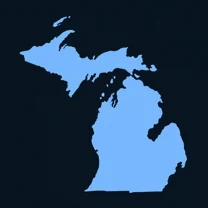
Launching in Michigan
Built from Traverse City.
Building Michigan’s construction network, one local market at a time.
Launch markets. Local trade availability varies as the network grows.
Search local trade companies by specialty, service area, availability, and profile information.
Search TradesTurn an unassigned project need into an Open Slot and connect with trades that can fill the schedule gap.
Fill Open SlotsSee your projects, assignments, crews, inspections, and schedule gaps in one construction-focused view.
View Schedule BoardManage tasks, inspections, documents, photos, notes, delays, and project activity in one place.
See How It WorksYour trade network + command center
From finding trades to final inspection, LinkWithTrades brings the people, schedule, and project information together.
Start with a project. Bring its tasks, trades, and project records together as work moves forward.
Workflow overview · your project records stay private.
Less chasing. More building.
Move beyond scattered calls and texts. Find trade profiles by specialty and service area, then start a schedule request.
Connect Open Slots, requests, and assignments so a change in the plan has a clear next step.
Keep inspection records, corrections, permits, photos, and project documents connected to the work.
Field Dispatch brings schedules and Needs Attention into one contractor operations view.
How LinkWithTrades works
Join as a contractor / builder, trade company / crew, or independent tradesperson.
Search the network or create an Open Slot for the work you need covered.
Connect availability, schedule requests, assignments, and your Schedule Board.
Track progress, inspections, photos, documents, delays, and completion.
Find Fill Schedule Manage
Plan. Coordinate. Build. Together.
See projects, assignments, inspections, delays, and schedule gaps in one place. The weekly Field Dispatch overview complements your detailed Schedule Board.
Field Dispatch
See what needs your attention today — active projects, crews, Open Slots, inspections, delays, and project activity.
The record behind the work
Requests, results, corrections, and reinspections.
Explore projectsPlans, permits, reports, and project files.
Explore projectsProgress, issues, inspections, and completion evidence.
Explore projectsCauses, affected tasks, and resolution.
Explore projectsA chronological record of work and updates.
Explore projectsA network for every trade
Stronger projects. Brighter communities.
From Traverse City to our 15 launch markets, we’re building a place for the people who build Michigan.
Coordinate trades and keep work moving.
Bring the people and project plan together.
Connect your crew with the next opportunity.
Show your skills and find work that fits.
Build together. Get it done.
Find reliable trades. Fill Open Slots. Schedule work. Keep every job moving.